Store Inventory Management
Products and Services

Information
Store Inventory Management
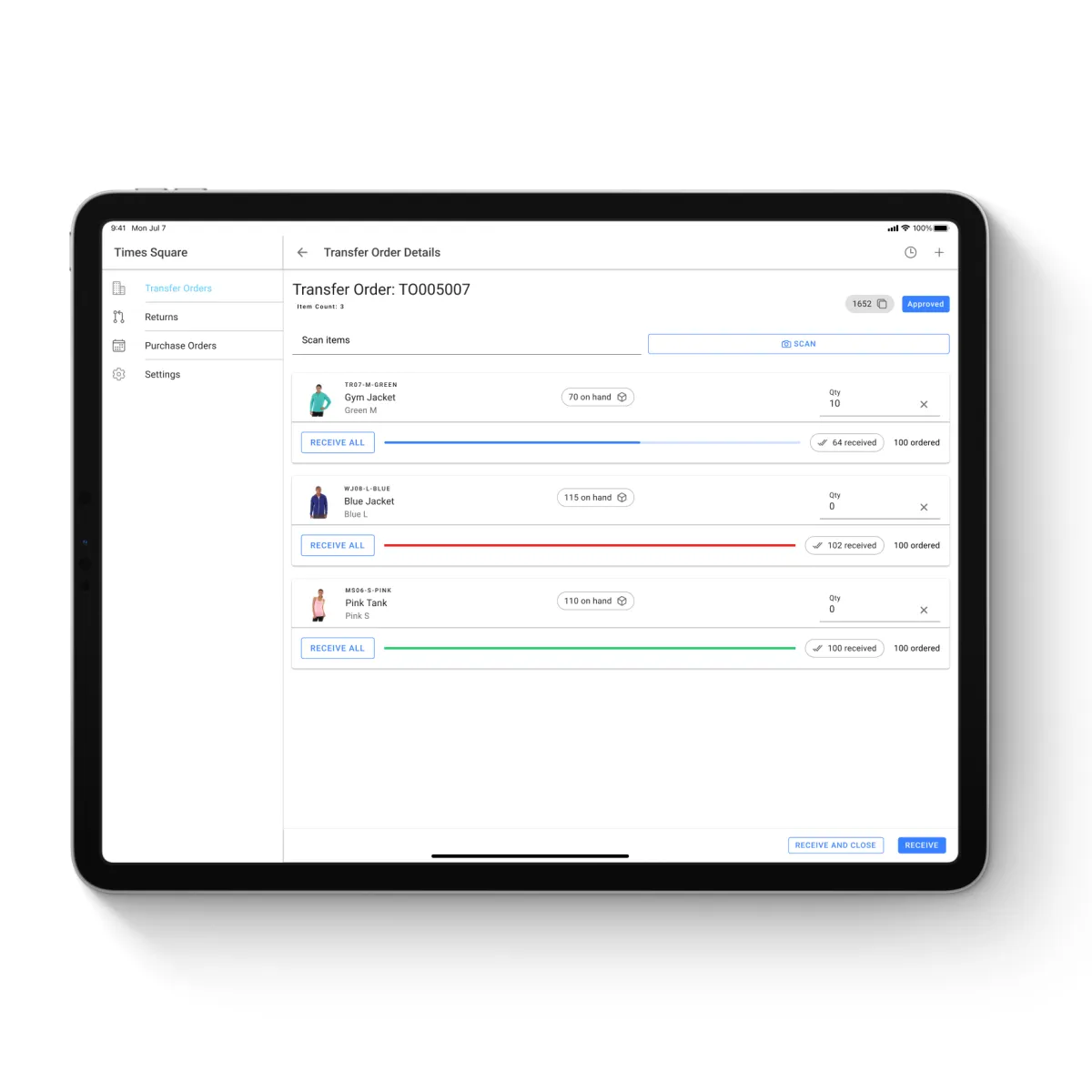
Easily manage in-store inventory, including receiving transfers, purchase orders and performing cycle counting with the Store Inventory Management Suite.
Highlights:
Read Transfer Orders & Create Shipments: Automatically generate inbound shipments from ERP/WMS.
Synchronize Purchase Orders: Latest POs sync to the app for timely inventory replenishment.
Locate Returns: Process and restock returns accurately for eCommerce.
Receive Inventory Accurately: Scan barcodes or use images for verification.
Specify Store Location: Assign inventory to exact store locations for efficient picking.
Update Inventory for Received Items: Inventory auto-updates in stores and syncs with eCommerce.
Handle Over-Receiving: In case of receiving more inventory than anticipated, the traditional response is to initiate costly return shipments. To eliminate unnecessary returns, save time and money, the app simplifies surplus management. App's intuitive interface lets store associates seamlessly add excess items to the current shipment.
Address Mispicks
When received items are not listed in the expected shipment, store associates can easily add the specific SKU to the shipment right within the app. This automatically updates records and inventory levels, ensuring accuracy and streamlined tracking. No manual adjustments, no confusion, just a seamless transition to a corrected inventory state.
Assign Cycle Counts
Streamline store inventory management with the Directed Cycle Count App.
Say goodbye to manual communication for cycle count requests. The app enables admins to assign product-specific cycle counts to individual stores or schedule counts for all products across locations with ease.
Perform Cycle Counts
The app’s dual-interface setup keeps workflows efficient. Operations teams can assign and track cycle counts, while store associates handle on-ground execution and focus on performing them.